Cisco, through 3Pillar Global
Taking VPN regions from a weekend to an afternoon
I drove the design of VPN Regions & IP Pools on Cisco Secure Access, the feature that lets admins scale VPN capacity region by region. A setup that once took a customer a whole weekend now takes less than three hours.
- Role
- Senior Product Designer
- Team
- Product
- Architecture
- Engineering
- Data Plane
- Content
- UX lead
- When
- July to September 2024
- Platforms
- Web admin dashboard
The foundation
Adding a region shouldn't take a weekend.
To let more users connect through a VPN profile, customers needed IP pools in each region, and setting them up had to be simple, clear and fast. The design couldn't stop at one page, though. Every pool an admin created had to reach the VPN profiles that use it, new and existing.
Constraints
- Shared by every VPN profile
- Up to 25 subnets per protocol in a pool
- Cisco's design system
- Secure Access patterns
The work
Key decisions
Group regions by continent
Design response
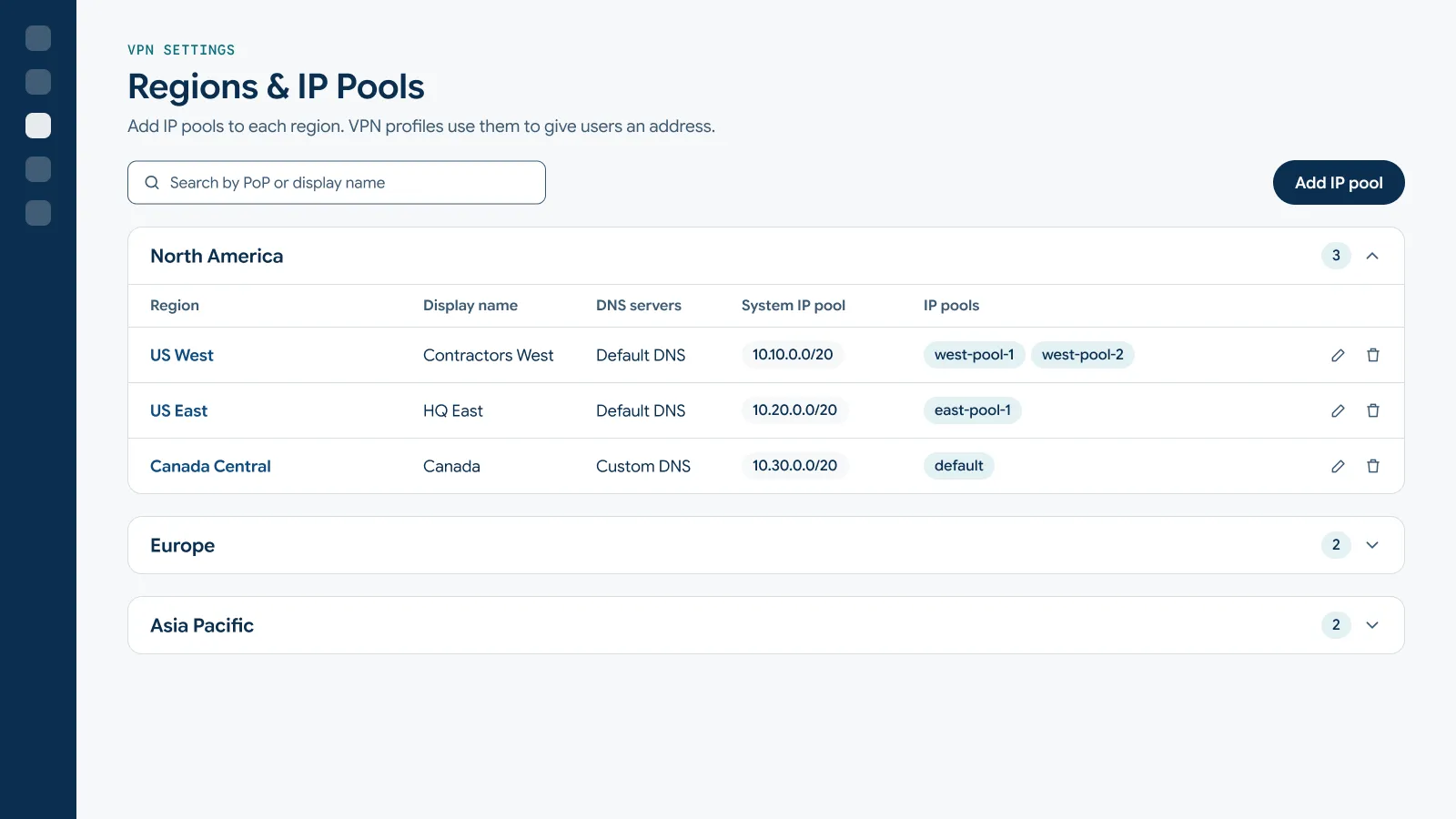
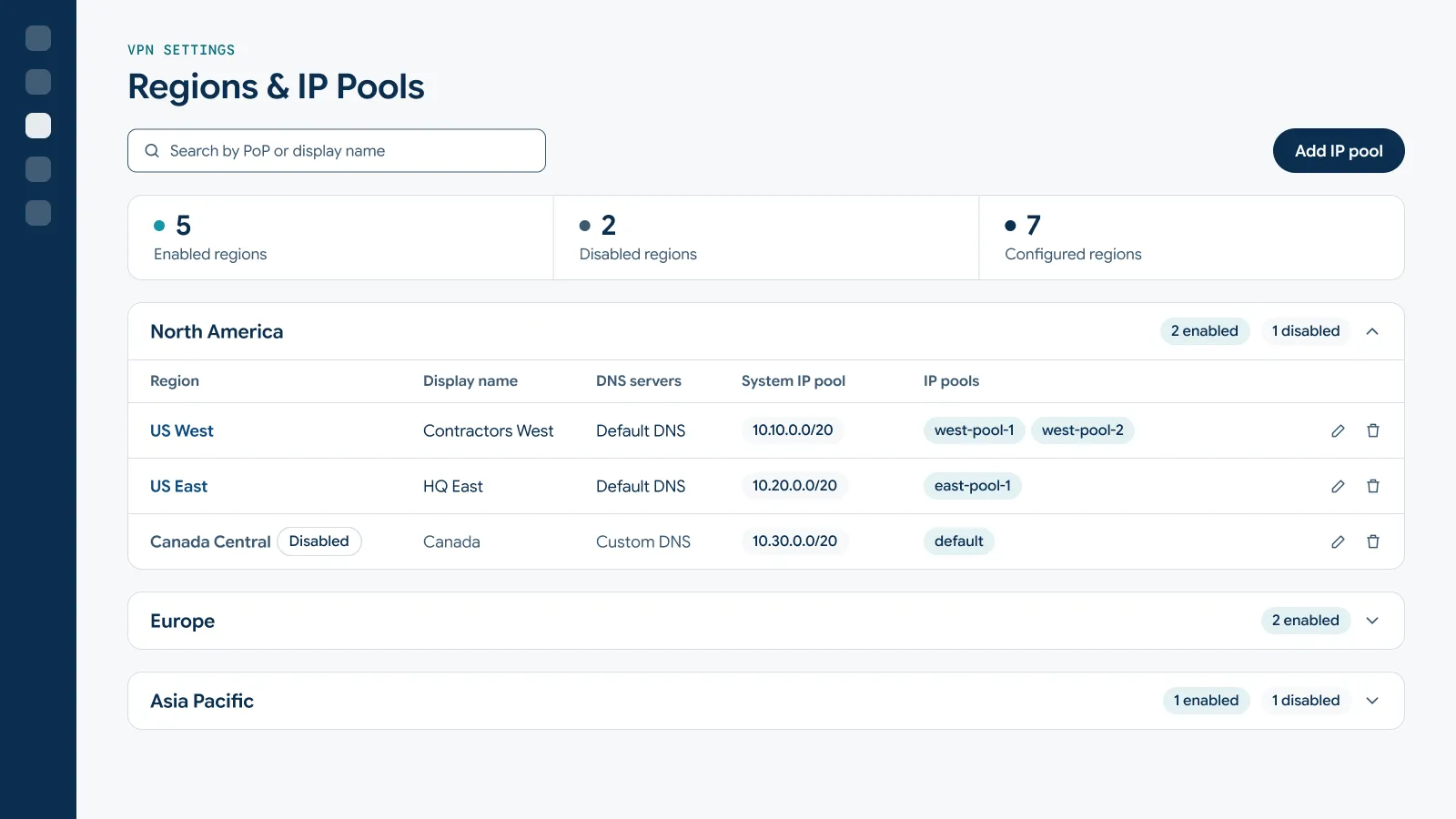
I proposed grouping regions by continent in expandable cards, each with its count. Admins open only the geography they need, or search by PoP or display name.
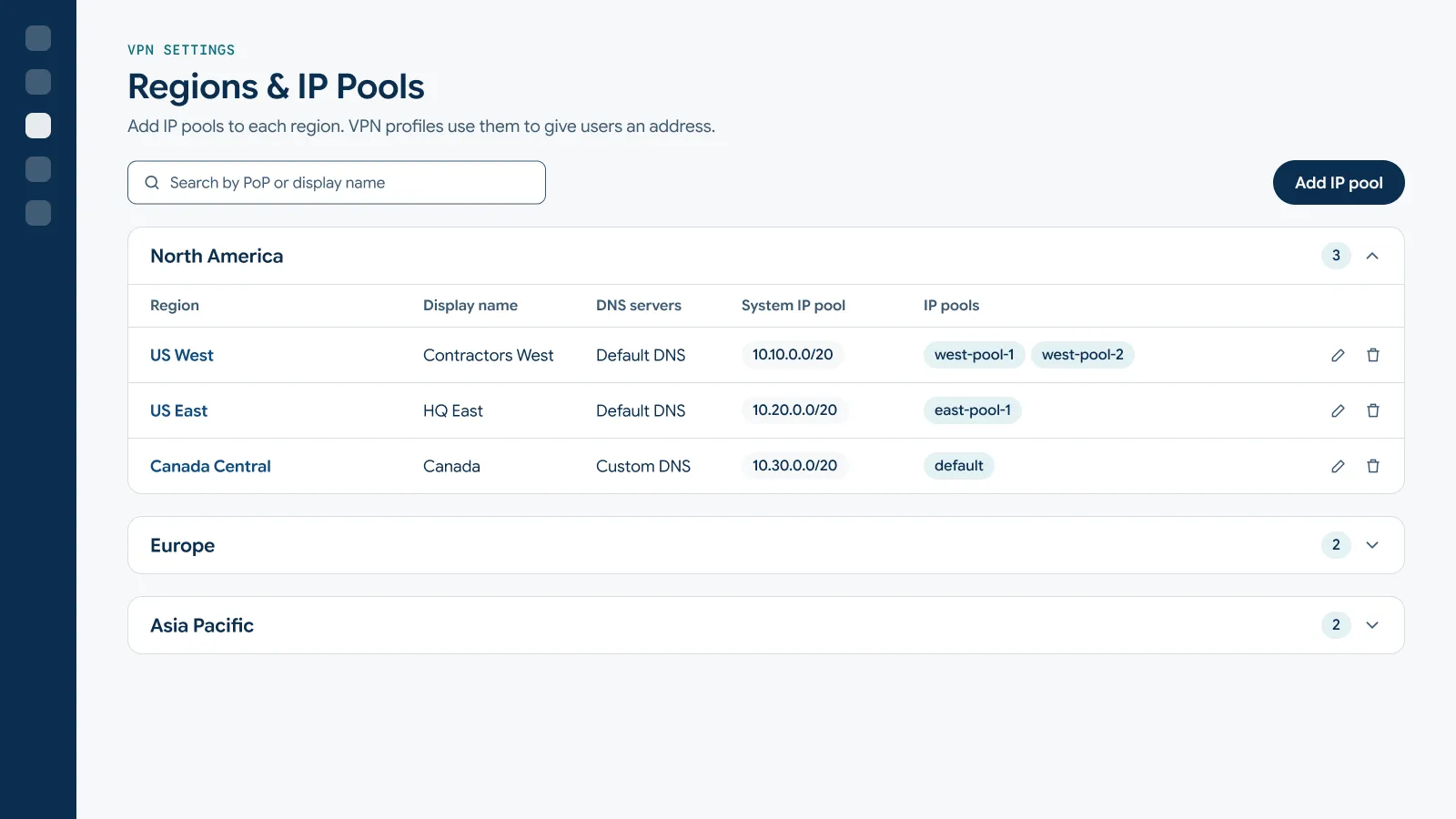
Regions grouped by continent, with counts and search. Drill down in drawers, not modals
Design response
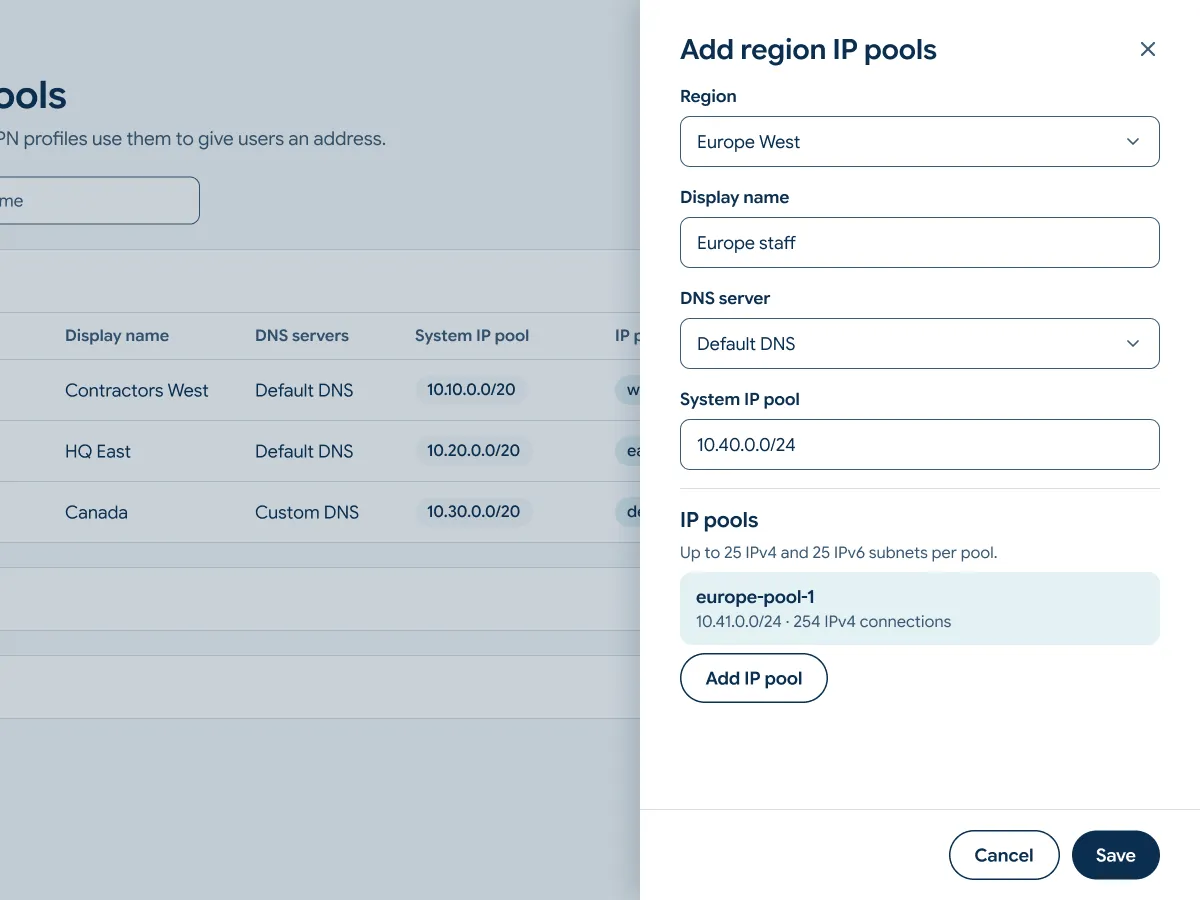
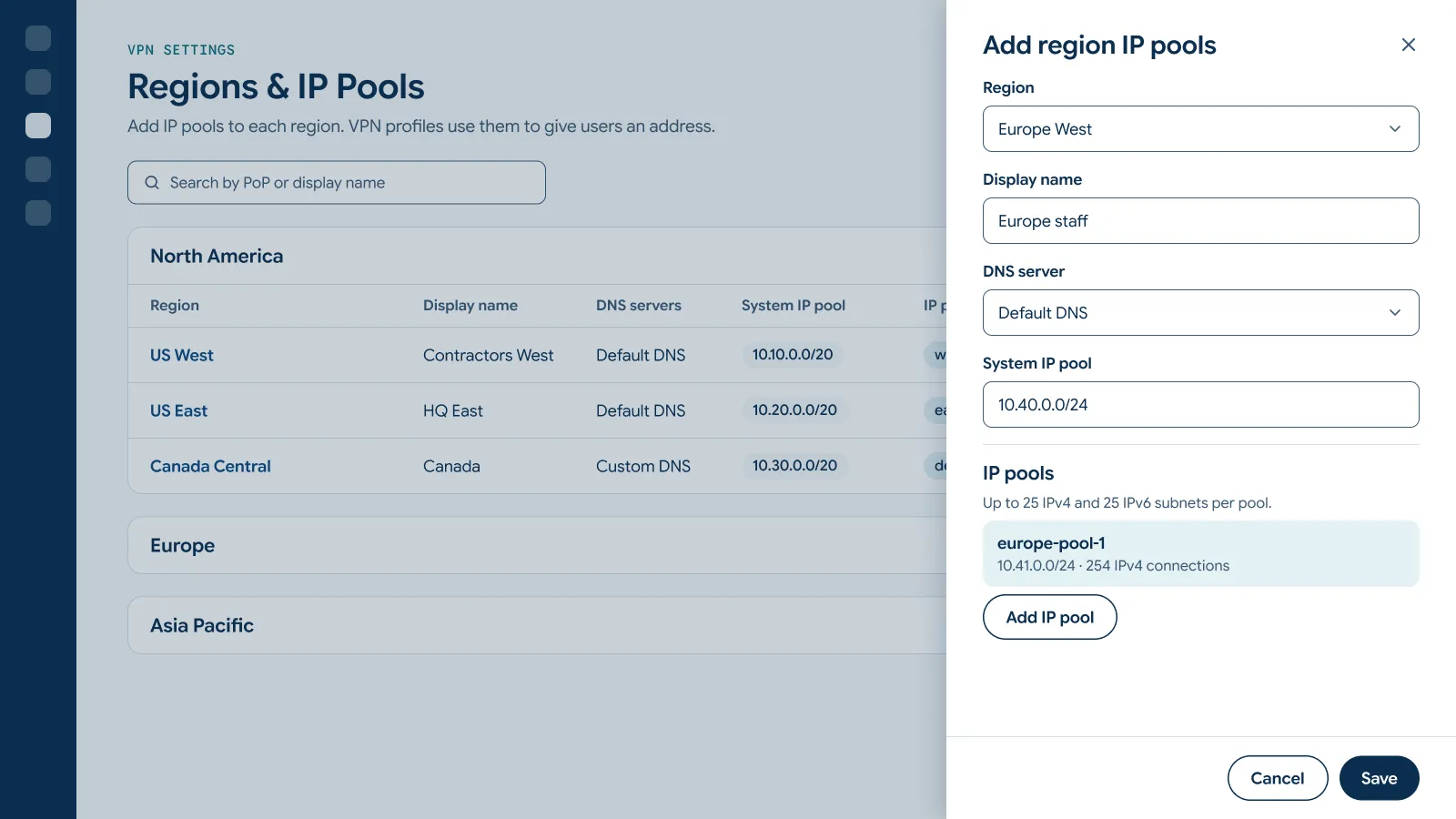
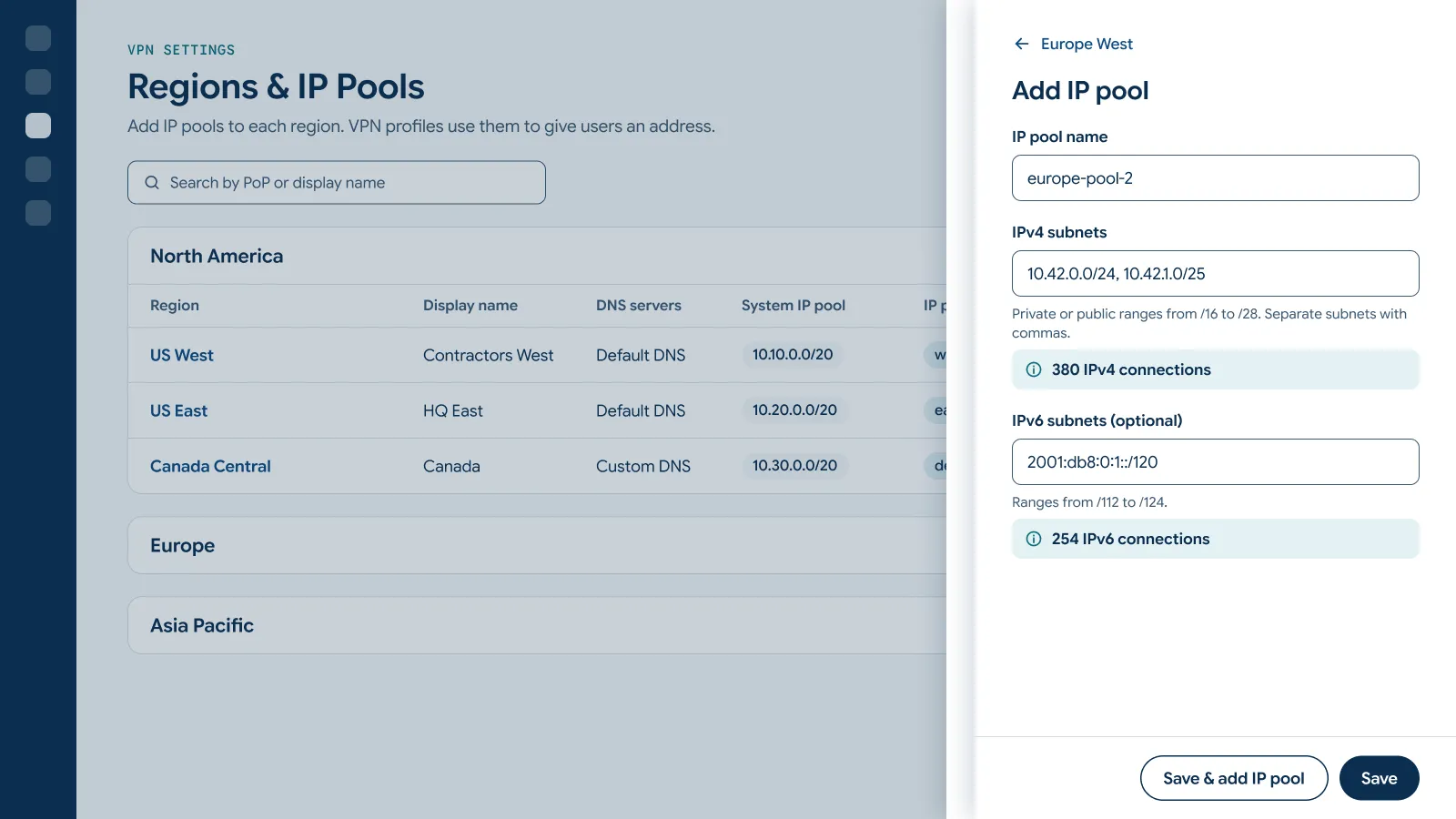
We tested both, and drawers kept configured regions in view, so admins could avoid duplicate addresses. Adding a pool drills one level deeper and closes back to the region on save.
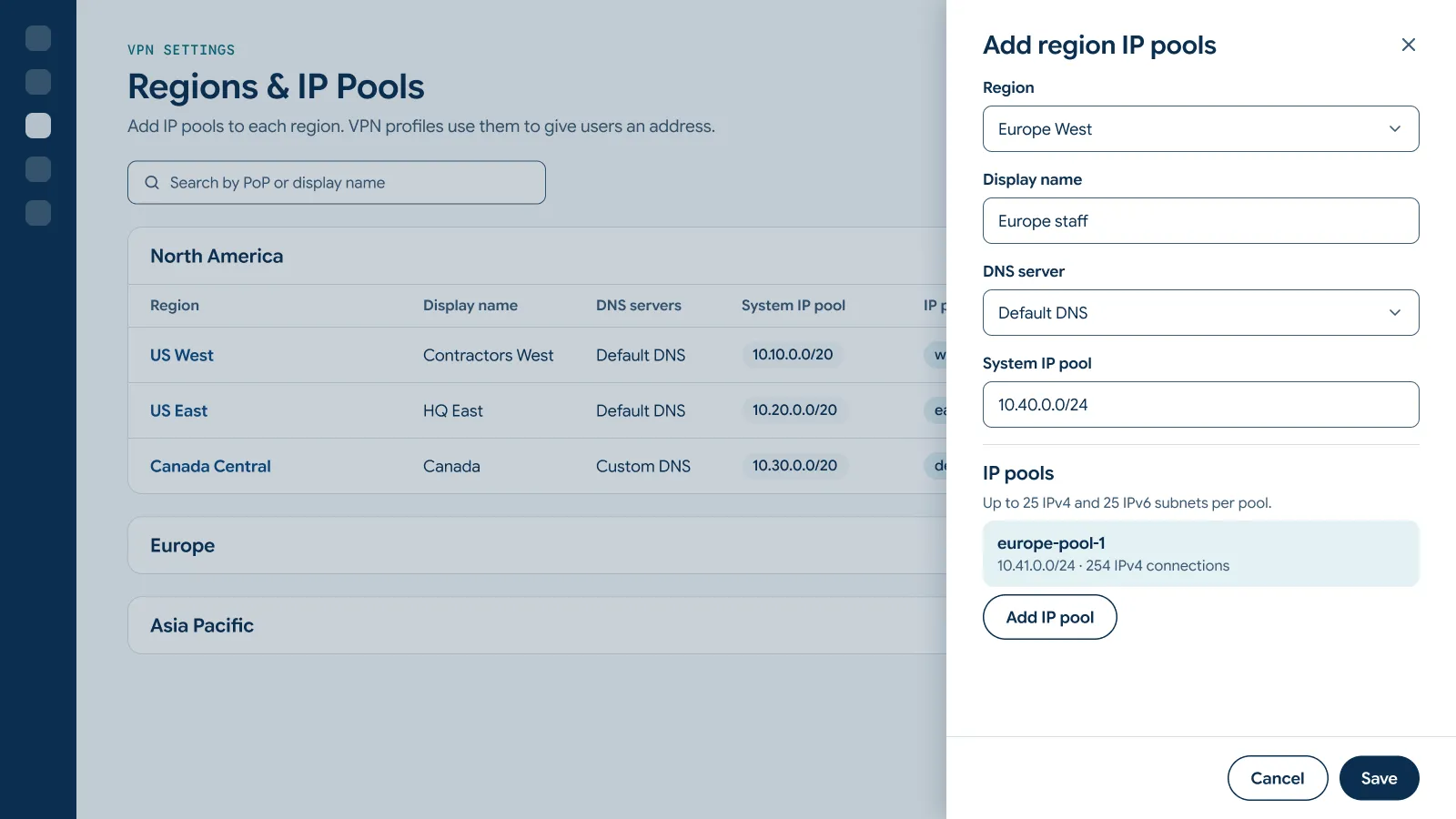
The region drawer keeps configured regions in view, so admins can avoid duplicate addresses. Show capacity while admins type
Design response
The team wanted connection counts per pool, and I designed them to update as subnets are entered. With my lead, we added “Save & Add IP Pool” for creating several pools in a row.
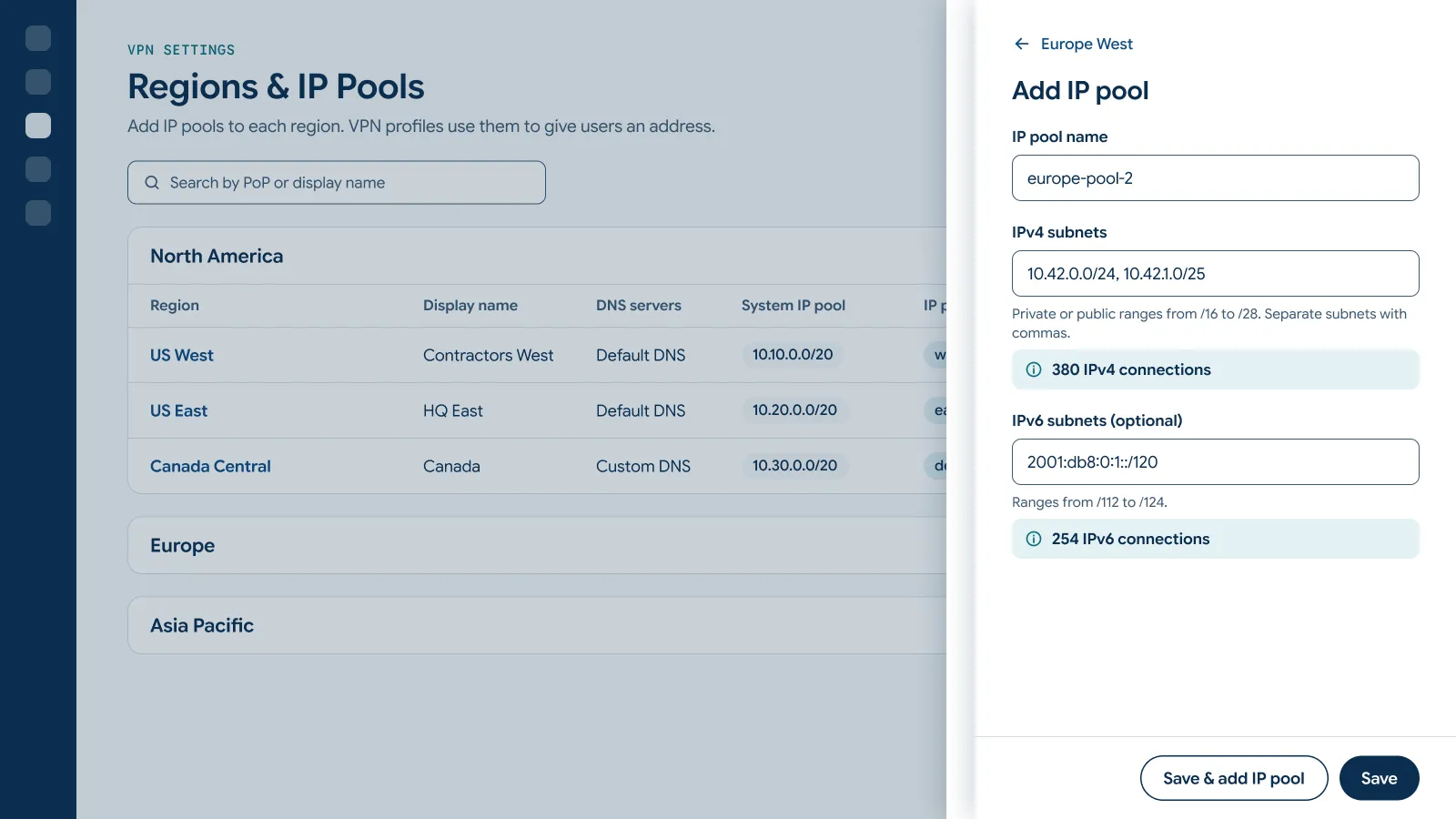
Adding an IP pool drills one level deeper and shows capacity as subnets are entered. Warn existing profiles, and let admins decide
Design response
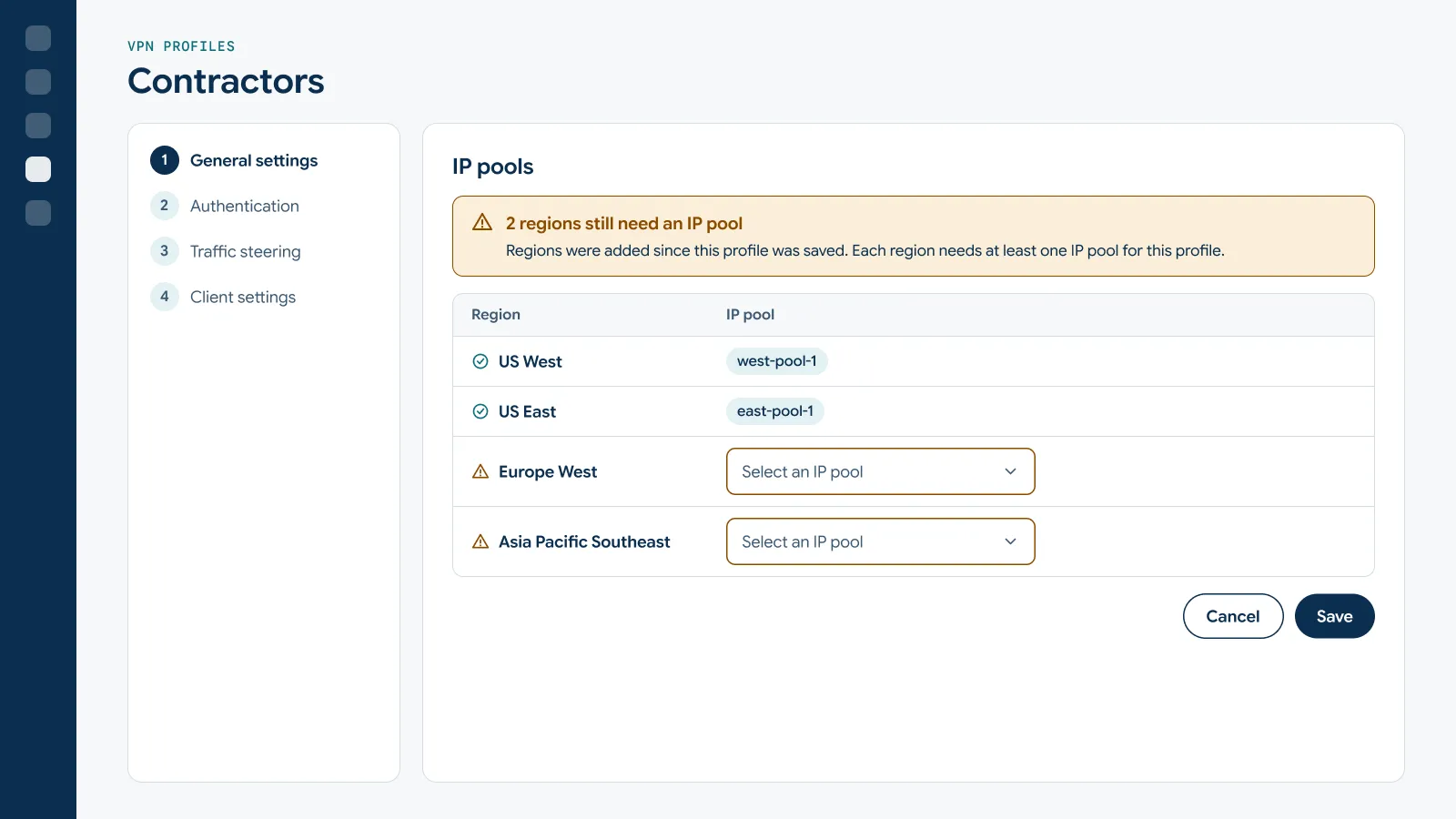
A region can hold several pools, so the system can't choose for the admin. Existing profiles show how many regions still need an IP pool, and each region needs at least one.
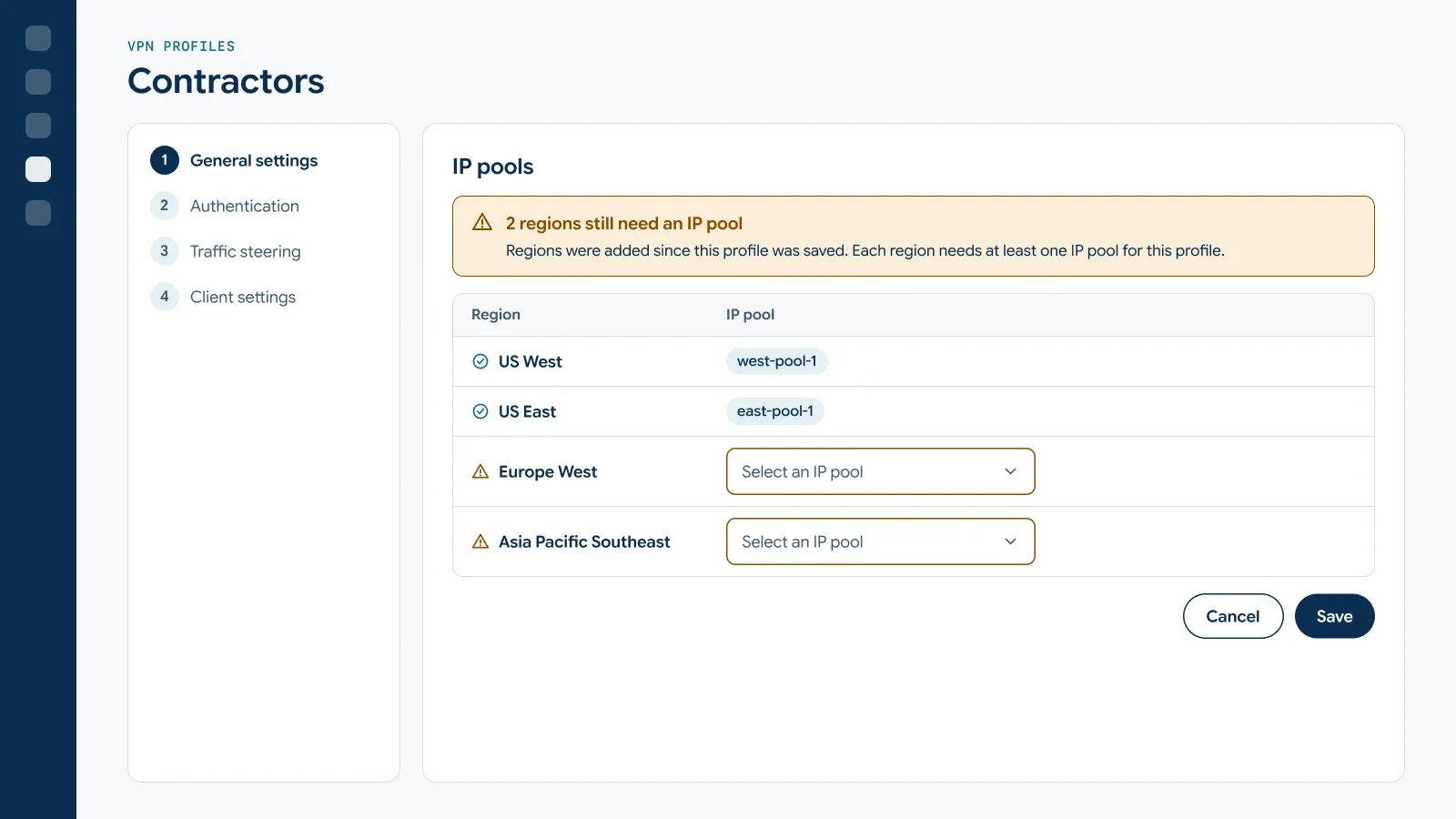
An existing VPN profile shows how many regions still need an IP pool.
Beyond the screens
Systems Thinking
I turned what architecture and the data plane team explained, including flows, limits and constraints, into one coherent experience for admins.
Design Leadership
I ran design reviews with the team, from early flows to final screens.
Stakeholder Communication
I presented to stakeholders how each design answered the goals and constraints we'd agreed on.
Design Governance
Every design was reviewed against shared Secure Access patterns, so regions felt like the rest of the product.
How I worked
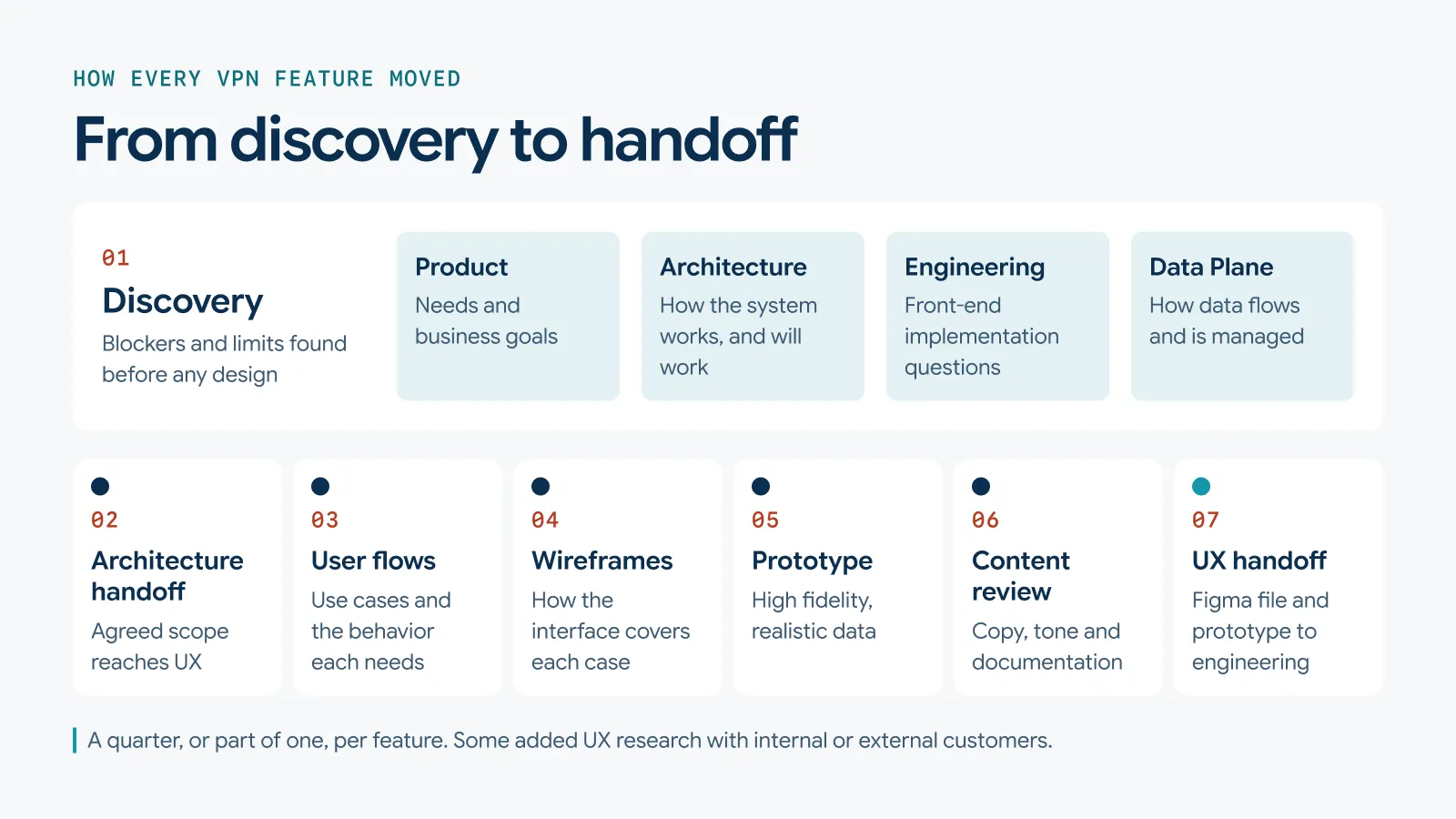
Every VPN feature started with discovery across product, architecture, engineering and the data plane team, then moved from user flows to a realistic prototype, content review and handoff, often within a quarter.
A note on what you see here
This work is confidential. The screens on this page are recreations in my own style, with fictional data, based on what Cisco has published. They show the structure and the decisions, not the real product.
The growth
A feature that kept growing
What changed
I started at Cisco implementing designs under a lead. On Regions & IP Pools I drove the work from discovery to handoff, and it became generally available in February 2025. It kept growing from there, with RADIUS groups and later disabling regions, where I added a status summary and per-continent counts.
“Configuration and deploying regions are straightforward and quick, which is a huge pro.”
“Josue's efforts have simplified complex processes, making our product more accessible and easier to use for our clients.”